For the last few years, I have been pretty into fitness and the gym, and over the last year in particular, I have become very passionate about tracking the details of my fitness. I have been tracking my caloric intake every day for years and over the last year, after taking the bulk too far and managing to get to 93kg at my peak in December, I have been tracking my weight every day as I have been losing it. Since then, as of writing this post, I have managed to lose over 20kg and while I have still not reached my goal, it's good progress and being able to track and review the change over time in relation to my caloric intake is very interesting.
The information I have is good but it's not as much as I could be getting. The more information you have about your health/fitness, the more reliably you can draw conclusions and it's just nice to have in general. AI these days is really good at analysing data, especially medical data, and helping you draw conclusions but my flow of trying to export data from my scales app then sending it to my Mac via AirDrop then dragging and dropping it into Claude every time I want it to analyse my weight loss is not ideal. And then trying to get more data from for example, Apple Fitness as well just adds to the complexity. It is just not an ideal setup.
I was interested in getting a Whoop for a while but the monthly subscription you're forced to have was a big downside for me. I want to own my own data and hardware and do what I want with it so being tied to a costly monthly subscription wasn't what I wanted. I didn't do much more looking into other wearables and just decided to leave my search there.
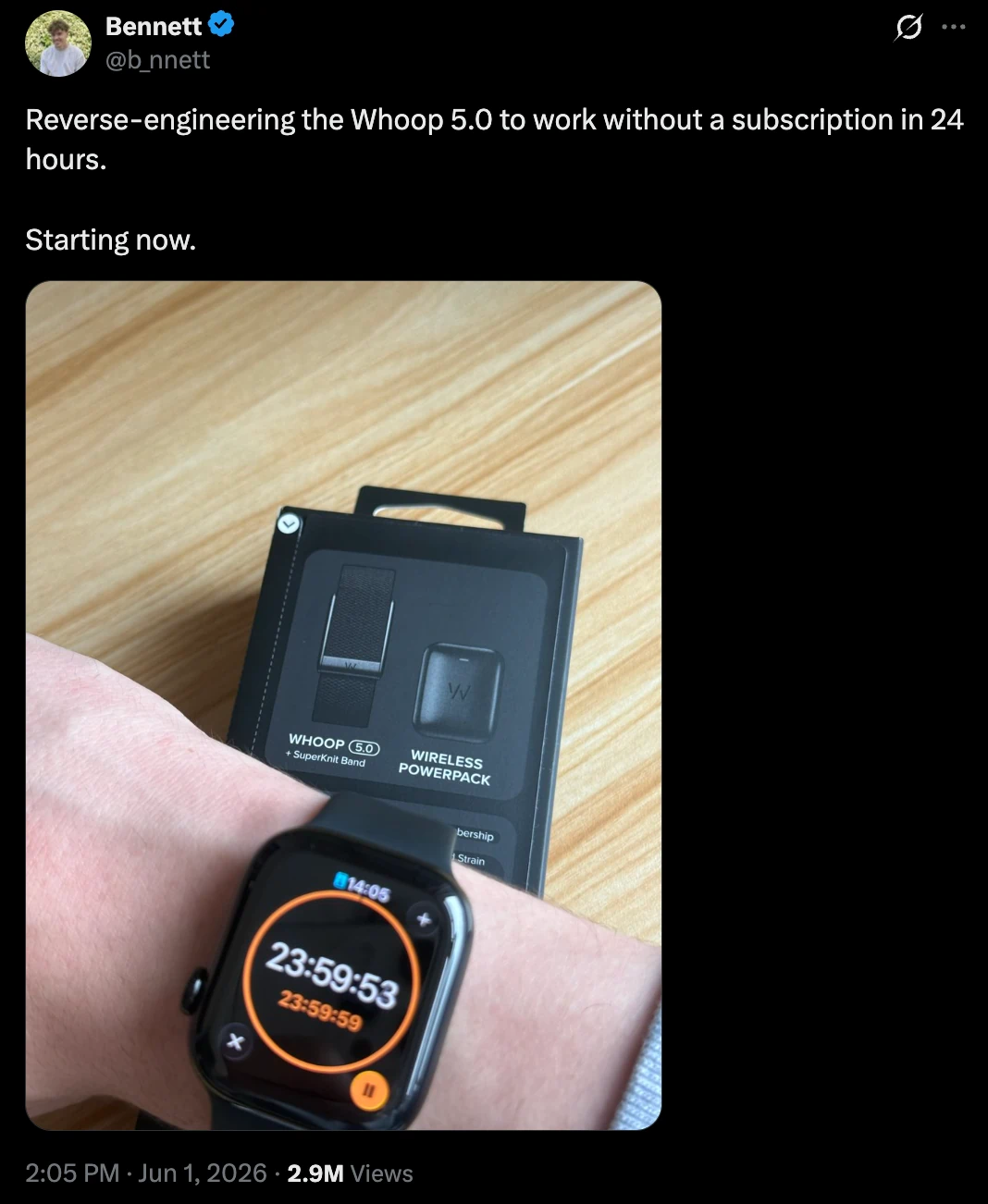
While scrolling X in early June, I came across a post from a user named Bennet about reverse engineering the Whoop 5.0 to work without a subscription. Not long after his original post, he had it fully working with his open-source app Goose. Shortly after, my feed was full of posts about people reverse engineering their Whoops to work without subscriptions. This got me interested in fitness wearables again as not only could I have one but I could develop my own interface for it.
I started looking on eBay for Whoop 5.0s without subscriptions and I could already see quite a few being sold. Quite a few people must've had the same idea as me to get their own setup. I also started doing more of a deep dive into other fitness wearables on the market, the usual Apple Watch and Garmin came up but they weren't what I was after as I like wearing actual mechanical watches and didn't want to replace them.
While watching reviews of fitness wearables on YouTube, I came across the Google Fitbit Air. I remember seeing the release announcement of it a month earlier on X but I didn't pay much attention at the time. Another potential option that was coming up a lot in comparisons was the Amazfit Helio Strap which a friend of mine had also purchased and recommended. Both devices offered optional subscriptions for AI features, but their core apps and services were included with the initial purchase. The one-time cost for either of them was also cheaper than even six months of a Whoop subscription at only £84.99 for the Google Fitbit Air and £99.90 for the Amazfit Helio.
The one deciding factor that led me to my choice was that the Google Health app that the Google Fitbit Air uses has an easy-to-access API whereas the Amazfit doesn't. This would make the whole process of making a companion app even easier as there was no reverse engineering that needed to be done to get it working. I then went ahead and purchased the Google Fitbit Air.
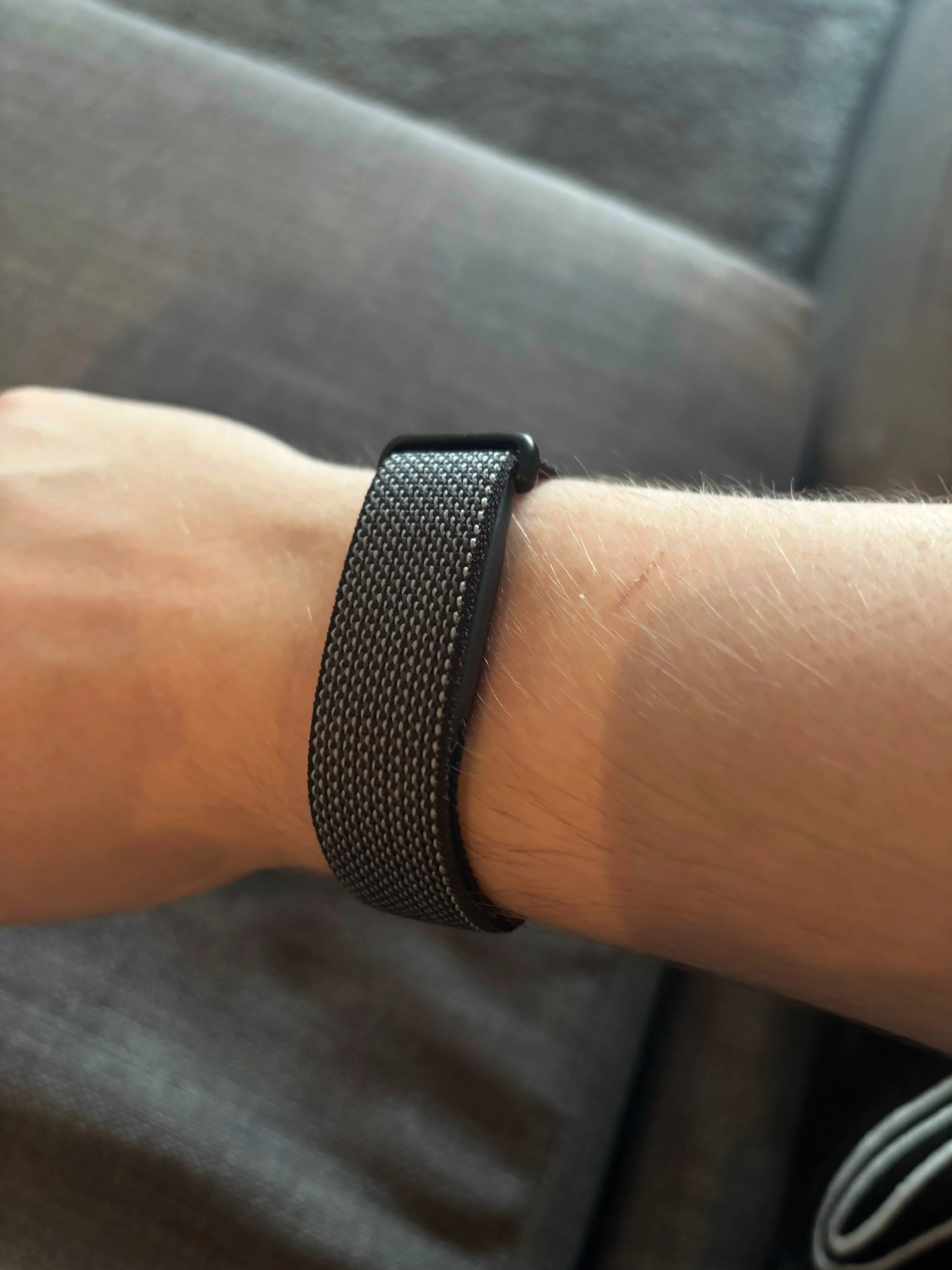
From my initial testing, I really liked the Fitbit Air. It had pretty much everything I needed and the ability to sync up my scales to get my scale measurements automatically integrated into Google Health was really nice as well as having my calorie intake tracking in the same place rather than separate apps. But there was one issue, the Google Health app was terrible. I kept running into frequent crashes, buggy UI or just terrible design choices from the devs. The calorie intake tracking in particular was terrible, it had very stupid bugs that would make you think the developers hadn’t tested it at all or ever tracked calories themselves as they did everything in a very unintuitive way. I remained hopeful that they would iron out all the issues as it was a pretty new release and a gigantic company like Google should have the know-how/resources to be able to fix them and thankfully, as time passed, many of the issues did eventually get fixed.
I was planning on making a companion app from the start but I was preoccupied with other work so it kept getting put off. A couple of weeks after I purchased my Fitbit Air, I saw an X post from a user named Flavio about his own companion app for the Fitbit Air, OpenFit. This post sort of put a boot up my ass to get on with my own version. I really liked Flavio's idea of using the ChatGPT/Codex subscription integration to get an AI assistant working. In the replies to the post there were also many other X users with their own companion apps to the Fitbit Air. It was time for me to get cracking on my own.
Why not just fork his repo? I just wanted to go through making my own one from scratch and being able to have it tailored completely to my needs. With how good coding agents are these days, it’s not a challenge anymore to have super personalised software made in a short amount of time.
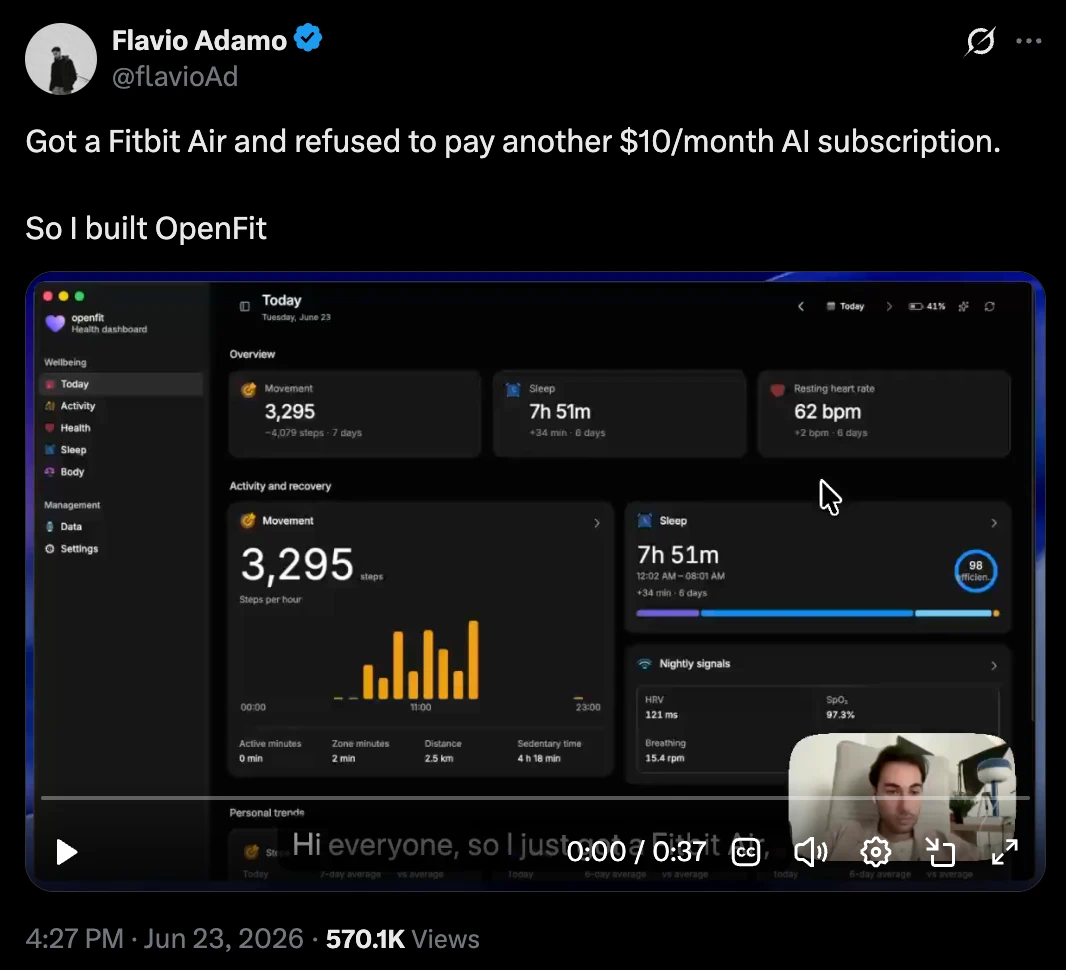
I found some time around mid July to get started on my own app. I decided to follow in the footsteps of Flavio's OpenFit and create an Electron app. I wasn't really interested in a mobile app as the Google Health app already covered my mobile needs and having the app on my Mac where I previously was unable to access my data was ideal. Flavio's OpenFit gave me lots of ideas on general structure/architecture of the app (thank you Flavio) so I had a good base on how to get it started.
I wanted to start off by getting the base of the app set up, making sure the Google Health API setup was solid and getting the fundamentals of the UI done. Initially, I tried to get Claude Fable 5 to one-shot it but it didn't end up too well. The app was buggy, broken and I hated how it looked. I wanted it to have an Apple-inspired look but it took it too far and just copied Apple Fitness completely which isn't what I wanted. The Google Health API also wasn't working. I got a bit too optimistic and I gave it unclear instructions so I ended up with a result I didn't like.
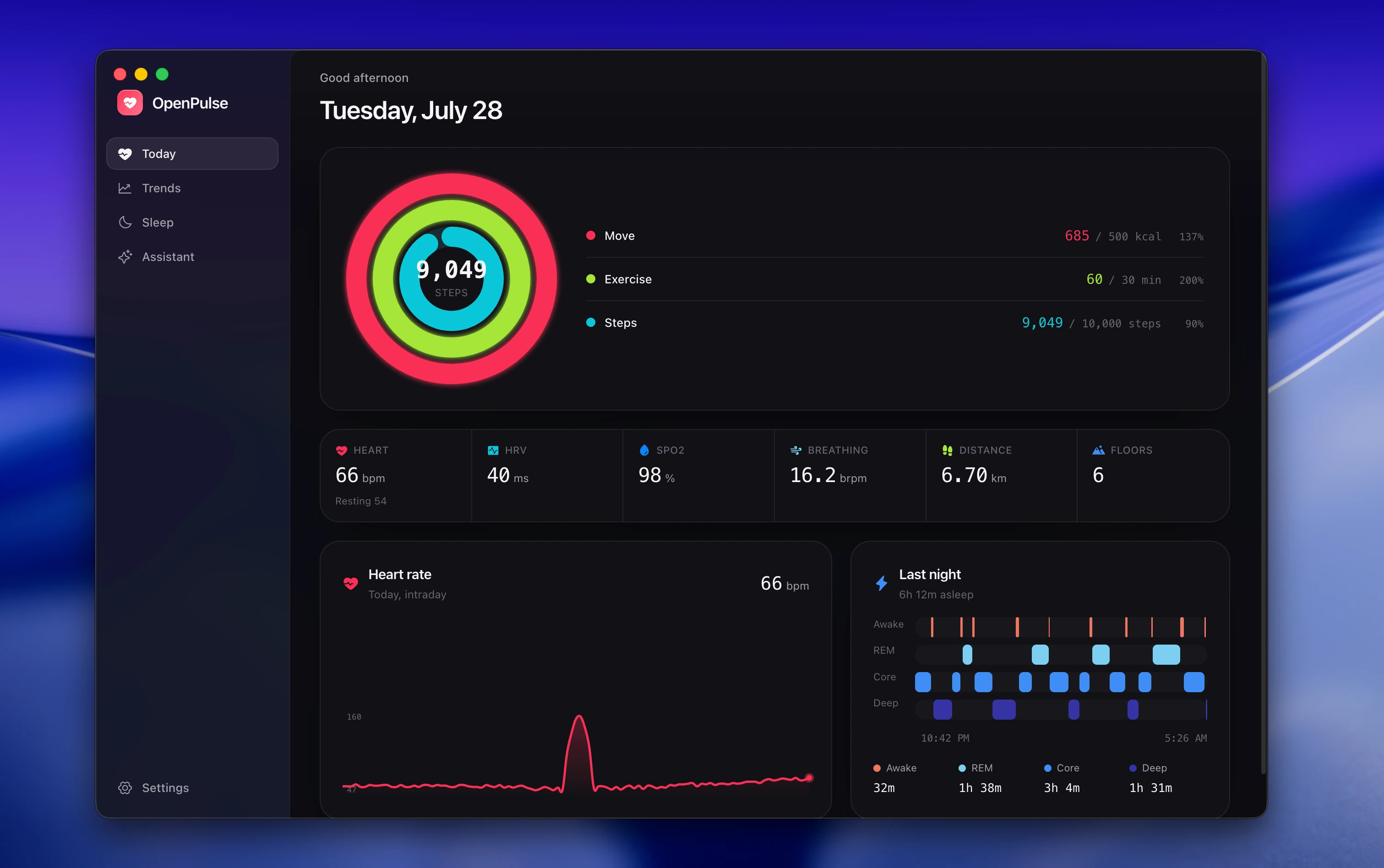
I decided to start again from scratch and provide a lot more detail this time and I got a much better base to continue from. With Flavio's OpenFit, it was very easy to get stuff like the Google Health API and Codex OAuth flow done as he already had it all open source for me and my agents to review and copy. I spent quite a while getting the UI the way I liked. Some data was more important to me than others and I liked having it displayed in a visually appealing way.
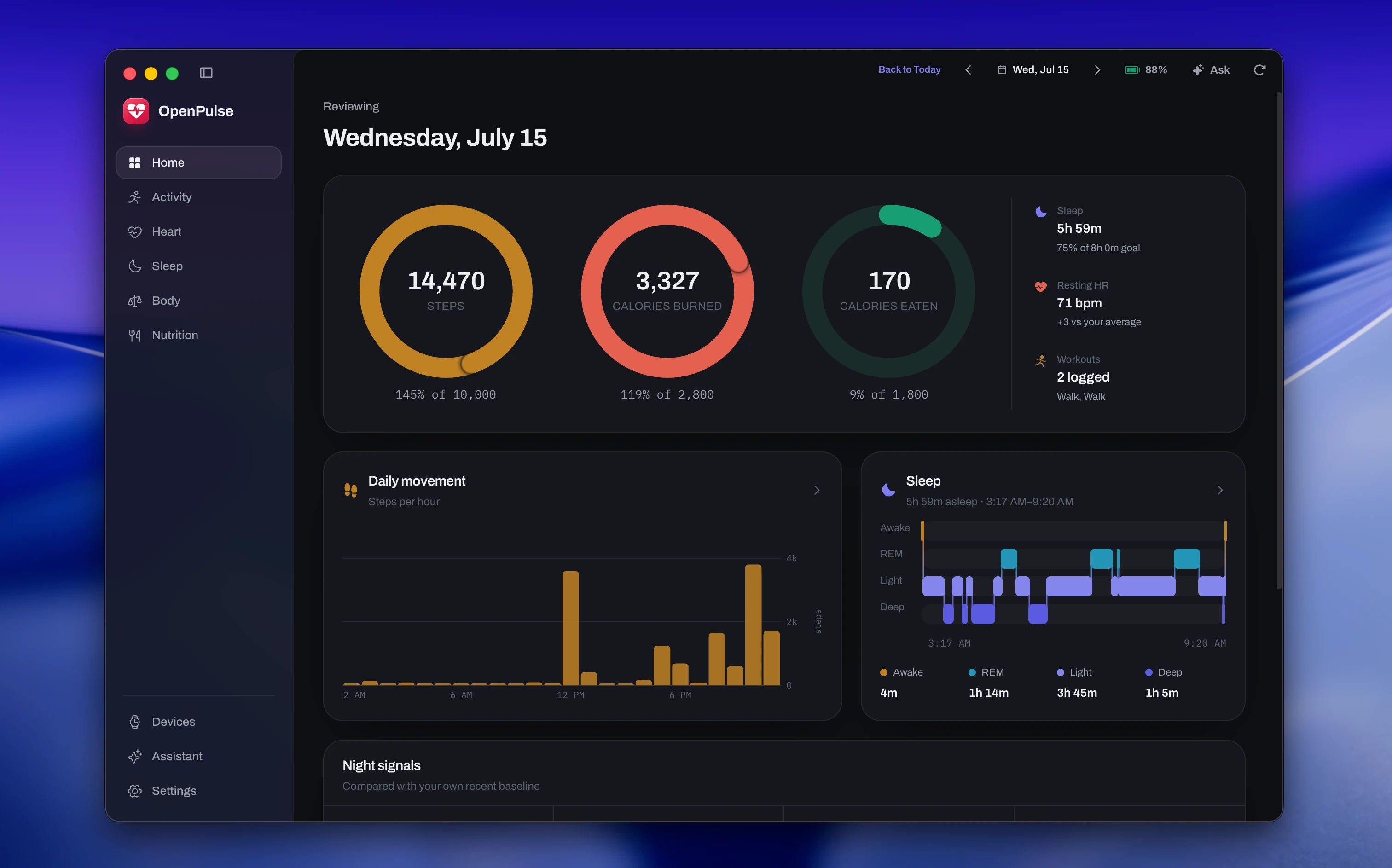
Eventually, with enough tinkering, I was able to get the UI to my liking and the app working in a fairly solid way. It looked nice, had most of the info I needed and was much more efficient on the backend than when I first started. There was one area where it was still massively lacking: the agent.
OpenFit's AI assistant is good for a small, quick tool but the ability and scope of the agent are quite weak. I wanted a much more powerful agent that could analyse and request all of my data, not just a small amount, and research the internet for more niche or detailed information the model itself might not have. If someone wants to ask whether a specific medication they are taking, at a specific dose, could be causing their HRV to go up, then being able to search up data from trials or even user reports from forums is very valuable information.
I gave the agent lots of tools to be able to retrieve and analyse data in specific date ranges and let it search the web for research purposes. These tools lead the agent to give thorough and well-thought-out answers with as much data as it needs to answer the query.
The app is very visual with the data it provides. Just giving your numbers and figures isn't that useful to a lot of people. I wanted a way to improve my agent to align with this philosophy as well so I gave the agent the ability to display metric cards for the data its answer is related to.
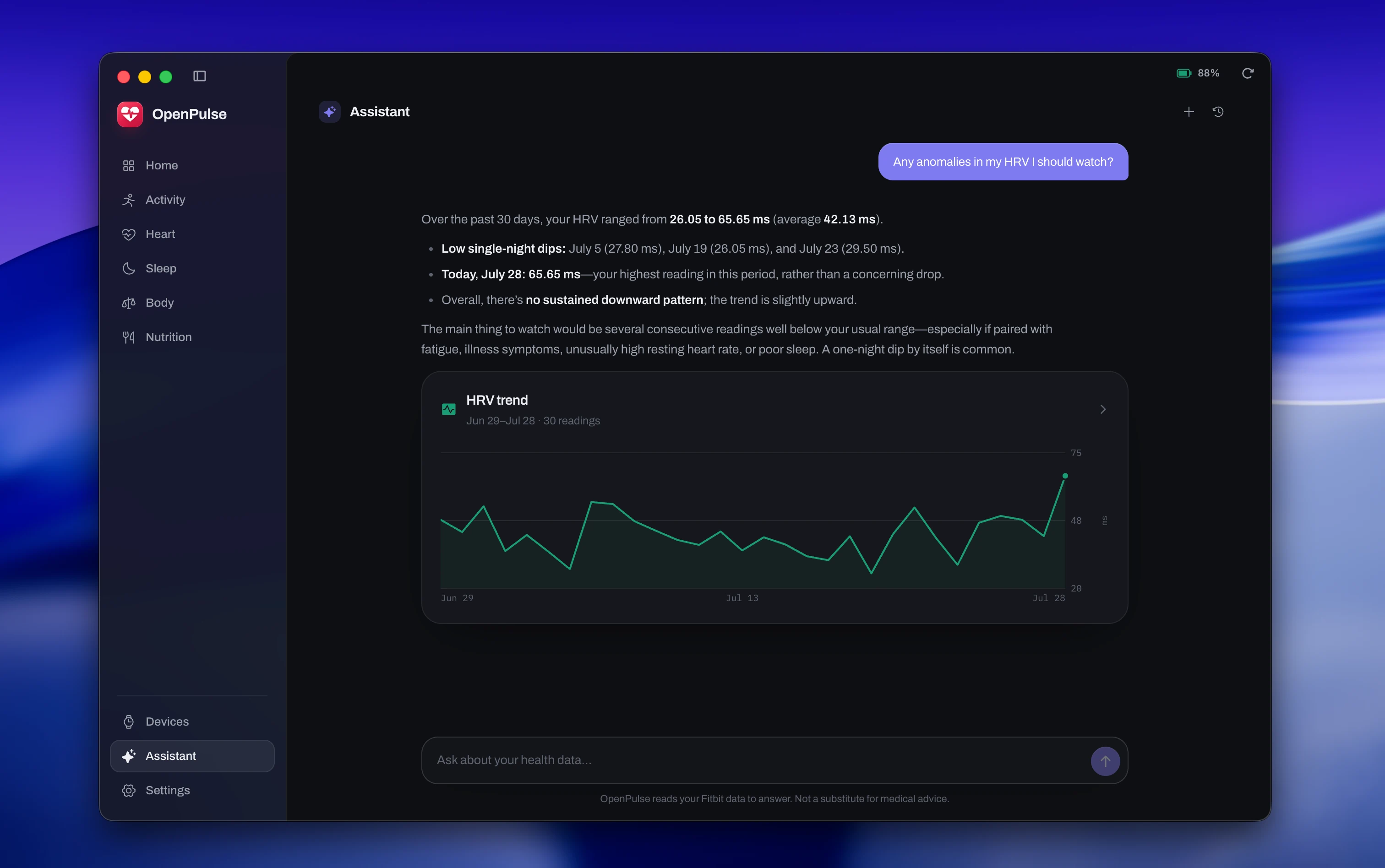
One area where my agent suffers compared to OpenFit is speed. Because of the depth of my agent’s work, it ends up spending much longer than OpenFit does. To work around that, I made a fast mode which identifies if the request is a simple health data related question. If so, it will just fetch that narrow dataset and provide a much quicker response. If not, it will just go to the normal longer agent which can choose how much research/diving it wants to do to get to the result.
The majority of the work for the whole project took a couple of days thanks to how good coding agents are, but I have been refining the code and agent ever since. I plan to keep updating it as my needs change or if any of the integrations change. But for now it’s a very useful tool for me. It allows me to have all of my health info in one place and gives an LLM access to all of it to be able to answer any questions I have about it all. Very nice.
I took a lot of inspiration from Bennet on getting started on this project overall and a lot of ideas from Flavio's OpenFit on the implementation of my own app so make sure to check out their projects/socials.
GitHub links:
- OpenPulse – https://github.com/Mpire25/open-pulse
- OpenFit – https://github.com/FlavioAdamo/openfit/
- Goose – https://github.com/b-nnett/goose
X links:
- Bennet – https://x.com/b_nnett
- Flavio – https://x.com/flavioAd